You can create attention codes (i.e. text images) that can be referenced from a catalogue, category and/or item. These codes allow you to draw attention to, e.g., special campaigns, offers, if the product is new, etc.
Note: Since attention codes are in the form of images, the storage depends on your configuration. See Configure and connect multimedia.
- Click Attention codes.
- Click New.
- You access the New attention code window:
- Attention code
- Enter the applicable code.
- Description
- Enter the description.
- Image file
- Enter the file name of the image.
- Tree image file
- If you want to attach an attention code to the catalogue tree structure in the left-hand navigator, enter the file name of the tree image file. The image would typically be a thumbnail or a small image.
Panel image
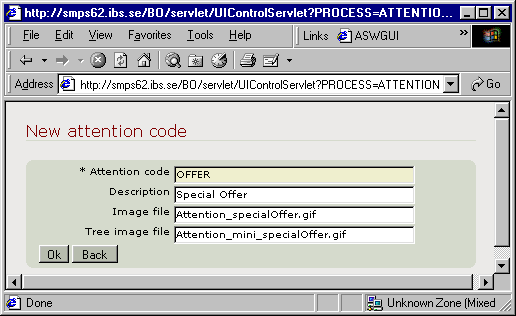
Complete the following information:
Click OK. Exit the routine.
The attention codes can be referenced and, thereby, connected to a catalogue, category element and/or item. See the applicable related topics for instructions.